

Sage 50 export
Customry One sends your issued invoices and credit notes to Sage 50 as a file you import. Each one is marked as transferred, so nothing goes twice and nothing is missed.
Make a batch
Section titled “Make a batch”- Open Invoicing → Finance export.
- Check what’s ready. Anything that can’t go yet is listed with the reason, and is held back.
- Select Make batch. The file downloads straight away, ready to import into Sage.
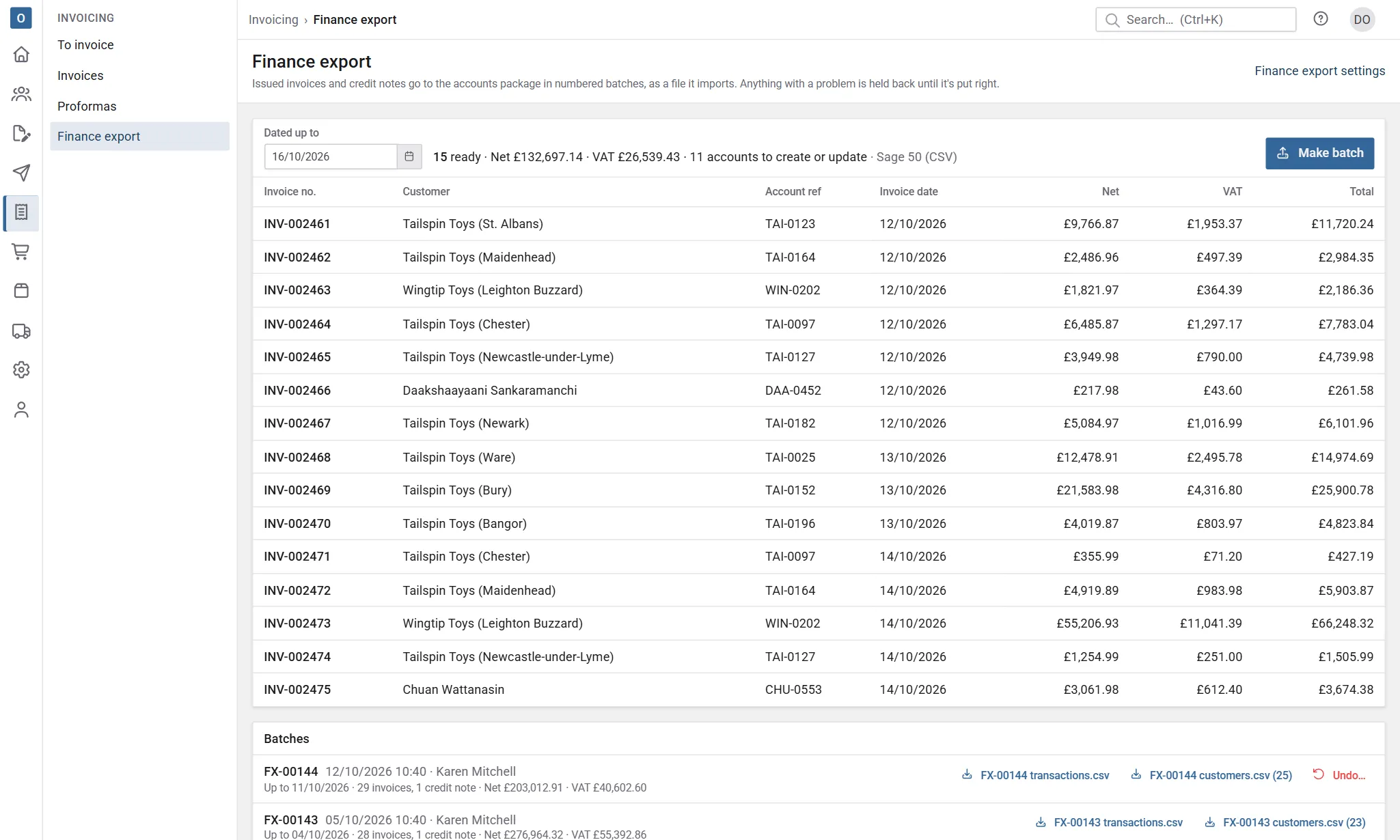
Batches are numbered, and each one lists what went in it. You can download a batch’s file again from the list at any time.
Import it into Sage 50
Section titled “Import it into Sage 50”In Sage 50, choose File → Import → Audit Trail Transactions and select the file.
If your settings include a customers file, import that first. It holds accounts that are new or changed since they were last sent.
What gets held back
Section titled “What gets held back”A line is held back when something it needs isn’t set up, for example a nominal code. Select Set the nominal codes to fix it. Held-back items go in the next batch once they’re put right.
Undo a batch
Section titled “Undo a batch”If Sage couldn’t import a batch, select Undo… on it in the list, say why, and select Undo batch. Its invoices and credit notes go back to “not transferred”, ready for the next batch. The undone batch stays on record.
Settings
Section titled “Settings”An administrator sets this up under Administration → Finance Export Settings:
- Nominal codes: the default sales nominal, plus codes for services, non-stock and manual lines, and for carriage. A product’s own nominal code is used first, then its category’s (or, if its category has none, the nearest parent category’s), then the default. Service products go as service items, so they fall back to the services code rather than the default sales nominal.
- Tax codes come from your VAT rates (Administration → VAT Rates).
- Summarised or itemised: one row per invoice and nominal code, which keeps the ledger tidy, or every line with its description.
- Customers file: on, to send new and changed accounts with each batch, or off if accounts are opened in Sage.
- Payments kept in finance: on if Sage is where payments are recorded. Invoices then show as issued rather than unpaid or overdue.