

To invoice
Invoicing → To invoice lists orders with something ready to bill. An order appears here once goods are despatched, or straight away for non-stock lines. A service product goes with the goods: it’s ready to invoice once its delivery is despatched. An order of services only is ready straight away, with no delivery.
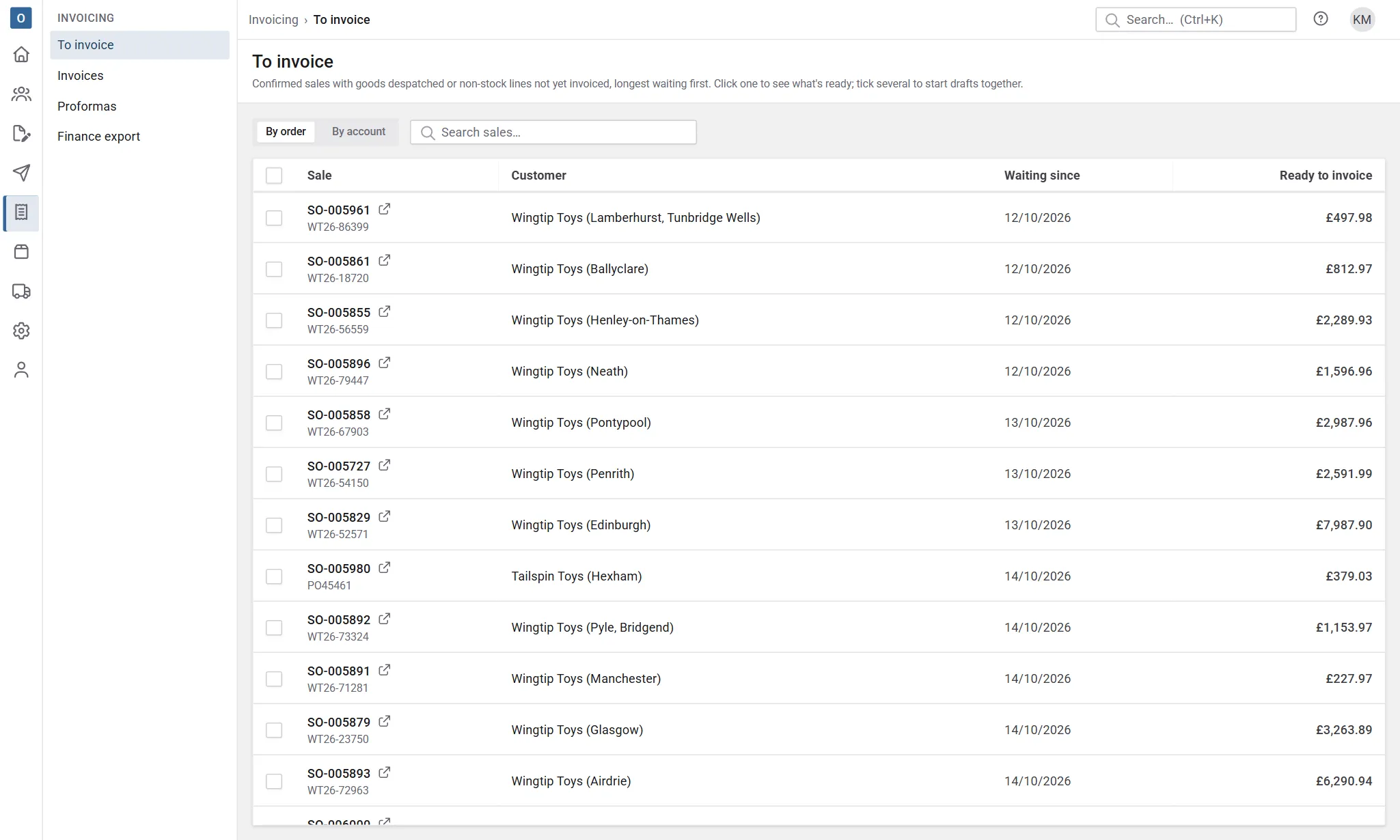
If the list is empty, nothing is waiting to be invoiced.
Start invoices
Section titled “Start invoices”- Tick the orders to invoice.
- Select Start invoices.
Customry One starts a draft invoice for each, with the despatched quantities, carriage and the order’s details. You’re told which drafts were started, with a link to each.
If several ticked orders belong to an account that can have them on one invoice, they may be combined. See Head office billing.
Check and issue
Section titled “Check and issue”Open a draft to check it. While it’s a draft you can change the date, wording and lines.
When it’s right, select Issue…. Issuing:
- gives the invoice the next invoice number,
- keeps its PDF,
- fixes it: after that it can’t change. Mistakes are put right with a credit note.
To issue a batch of drafts in one go, select Issue them all on To invoice, or tick drafts in Invoices and select Issue.
Then send them. See Sending documents.
Invoicing before despatch
Section titled “Invoicing before despatch”Normally only despatched goods and non-stock lines can be invoiced. If your company bills in advance, an administrator can allow any ordered quantity to be invoiced, under Administration → Invoicing Settings.
When an order is finished
Section titled “When an order is finished”Once everything on an order has been despatched and invoiced, it moves to Completed by itself. An order of services only completes once it’s invoiced.