

Works order costs
Manufacturing → Works order costs lists each works order’s planned and actual cost and, once it’s finished, its variance as it was recorded then. It’s for whoever looks after costs: it needs permission to see works orders and permission to see cost and margin.
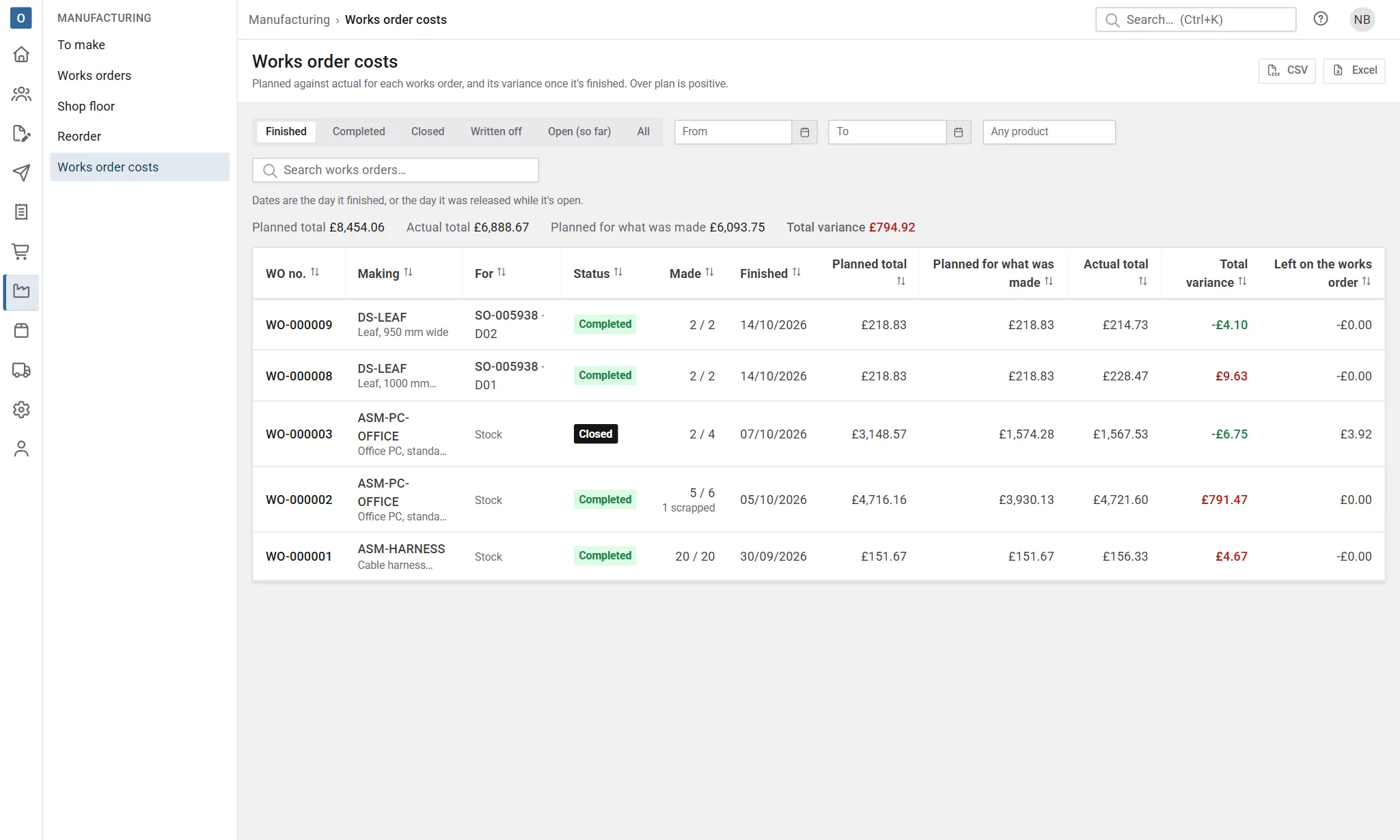
The list
Section titled “The list”Each row is a works order, newest first, with what it made, its status (with Written off and Cost incomplete where they apply), when it finished, and:
| Column | What |
|---|---|
| Planned total | The planned cost for the whole quantity, fixed when it was released. |
| Planned for what was made | The planned cost’s share for how many were made. |
| Actual total | What was spent: materials, services and time. |
| Total variance | Actual less planned for what was made. Over plan is positive. |
| Materials, Labour, Services variance and Scrap | The variance split up, as on the works order. On a narrow screen these are left out; the download has them all. |
| Left on the works order | Cost that isn’t in any stock value or written off. |
Above the list are the totals of the works orders listed, following your search. Sort by any column, search by works order, product, order or item, and select a row to open the works order.
Choose what’s listed
Section titled “Choose what’s listed”- Finished (the default) shows works orders that are completed or closed. Completed, Closed and Written off show just those.
- Open (so far) shows released and in-progress works orders with what they’ve cost so far. They have no variance until they finish.
- All shows both.
- From and To are the day it finished, or the day it was released while it’s open. Finished is when the last completion (or the close) was entered, even if a completion was dated earlier. A start after the end is highlighted, and nothing is looked up until it’s put right.
- Choose a product to see only the works orders making it.
At most 5,000 works orders are listed. If there are more, the page says so: narrow the dates.
Download
Section titled “Download”CSV and Excel download the works orders for the view, dates and product chosen (the search box only narrows what’s on screen), with every column: planned, actual and variance for materials, services and labour, scrap, what was carried into stock or by the made parts, written off and left on the works order.
Figures are numbers, so negative variances add up in a spreadsheet. Text that a spreadsheet could take for a formula (something starting with =, +, - or @) is kept as text.
Costs never appear on printed documents.