

Revisions
A revision is a frozen copy of a sale exactly as it was at a moment in time. It never changes, even if the customer’s details or your prices change later. You can always see what the customer was sent, compare versions, and go back to one.
When a revision is kept
Section titled “When a revision is kept”Customry One freezes a revision for you when you:
- send the quote or order, or mark it as sent,
- confirm the order,
and you can save one yourself at any time, with a note of why.
You can carry on editing after a revision; nothing is ever locked. The first change after a revision starts the next version, and the sale shows as changed since that revision.
See and compare revisions
Section titled “See and compare revisions”Open the Revisions tab on the sale.
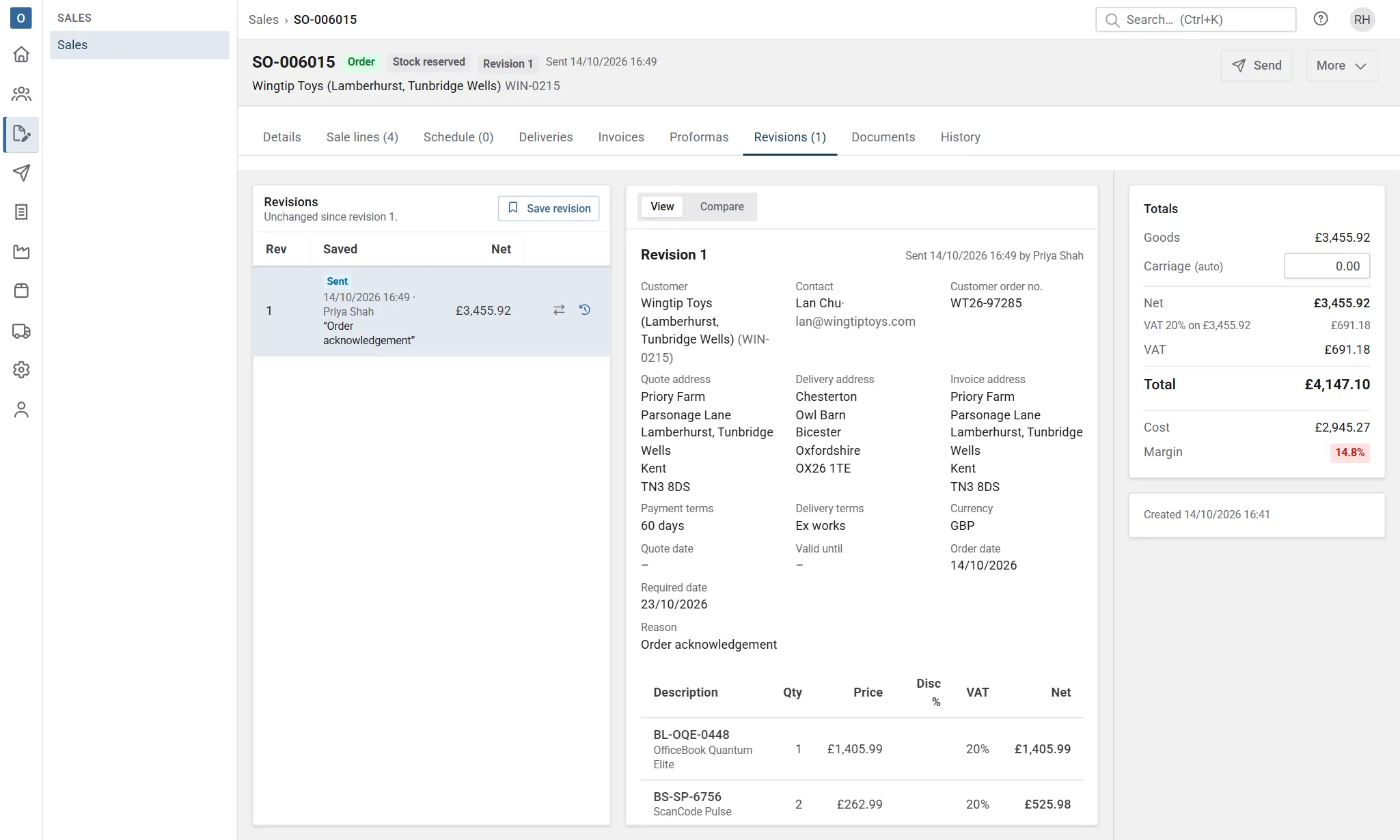
- Select a revision to see it as it was.
- Compare any revision with another, or with Now. “Now” means the saved sale, without changes you haven’t saved yet.
- Changes are listed by line and by field: what was added, removed and changed.
- A configured item whose answers or version changed shows Configuration changed, with its old description struck through above the new one. Its parts are compared as lines under it. See Configured items.
- A configured item’s reference and schedule fields (its location among them) are compared too: a changed reference shows the old one struck through, and each changed field is listed, such as “Wall type: Blockwork → Stud” or “Location: Level 1 → Level 2”. Renumbering items shows as many changed references.
Go back to a revision
Section titled “Go back to a revision”On the Revisions tab, select the restore button next to the revision. Its lines and details replace the sale’s.
- If you have unsaved changes, you’re asked first: restoring throws them away.
- If the sale has changed since its last revision, you can choose Keep it, then restore to save the current version as a revision first, so you can come back to it, or Just restore.
After restoring, check the sale, then save a new revision or mark it sent when it’s ready.
Revisions and documents
Section titled “Revisions and documents”Each document you send is made from a revision, and the PDF is kept on the sale’s Documents tab exactly as it went. See Sending documents.